
Incident Management
AI-driven incident response, investigation, and root cause analysis.
A standardized lifecycle, simplified severities, and a single workspace for everything your team needs during a high-pressure event.
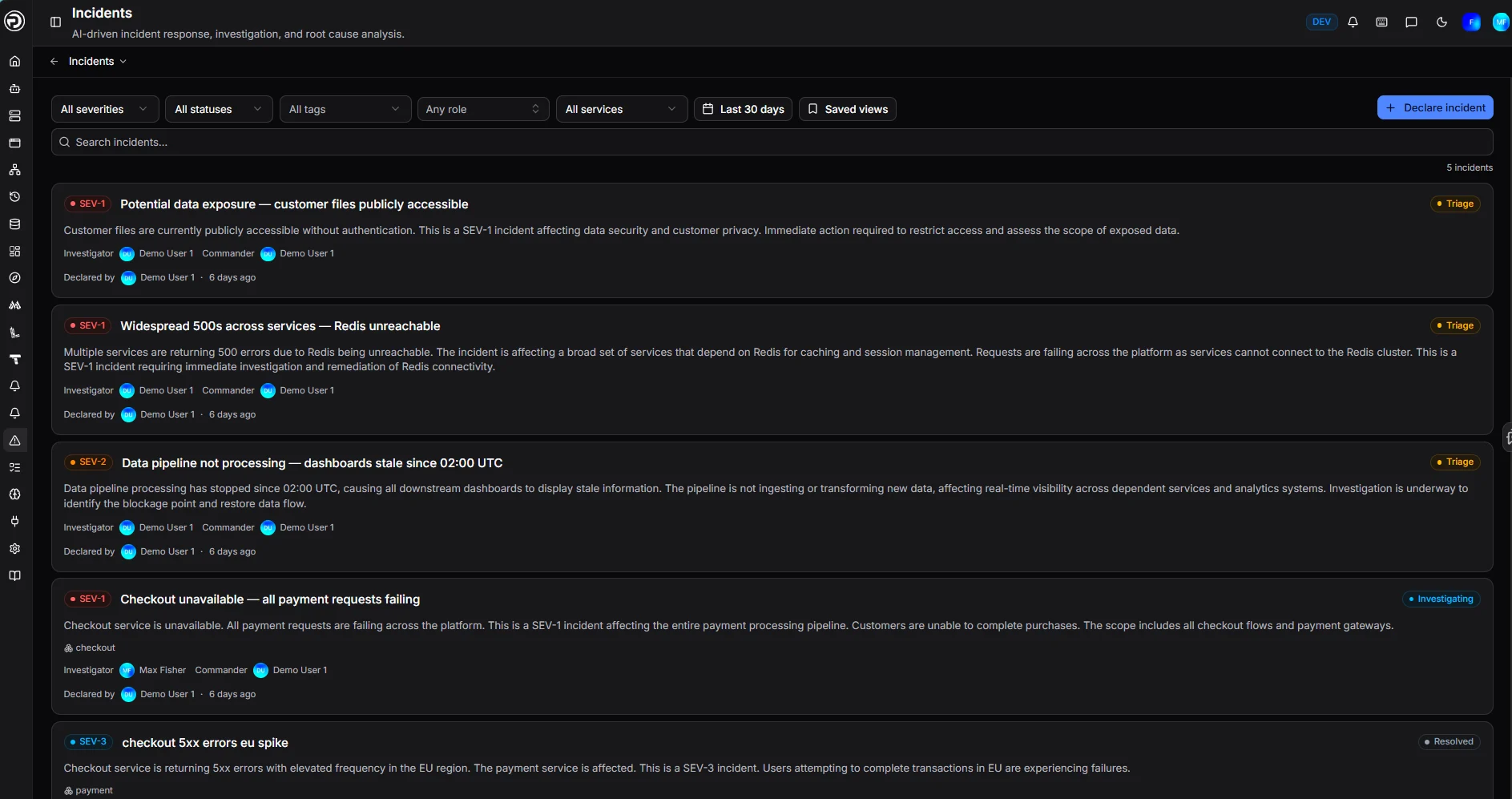
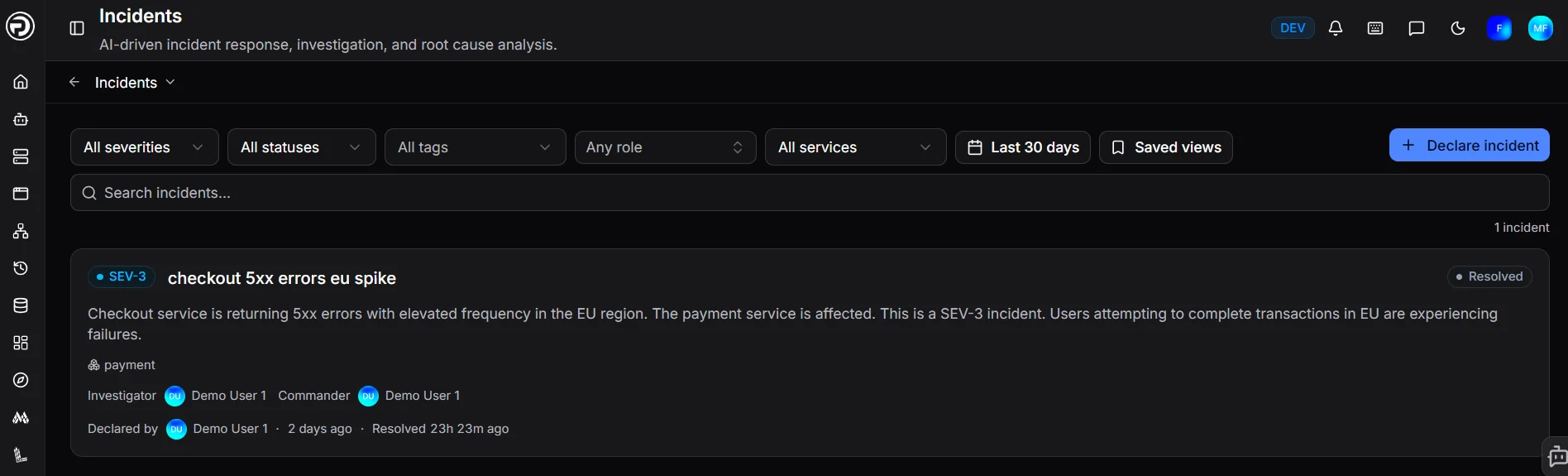
See everything that matters, filtered the way you work
Every incident lands in one list, colour-coded by severity and tagged with its current status — Triage, Investigating, or Resolved — so your team can tell what needs attention at a glance.
- Filter by severity, status, tag, role, or affected service
- Narrow by date range or jump to a saved view
- Search incidents directly, or declare a new one in one click
Each entry shows the investigator and commander on point, who declared it, and how long ago — no need to open a thread to find out who's driving.
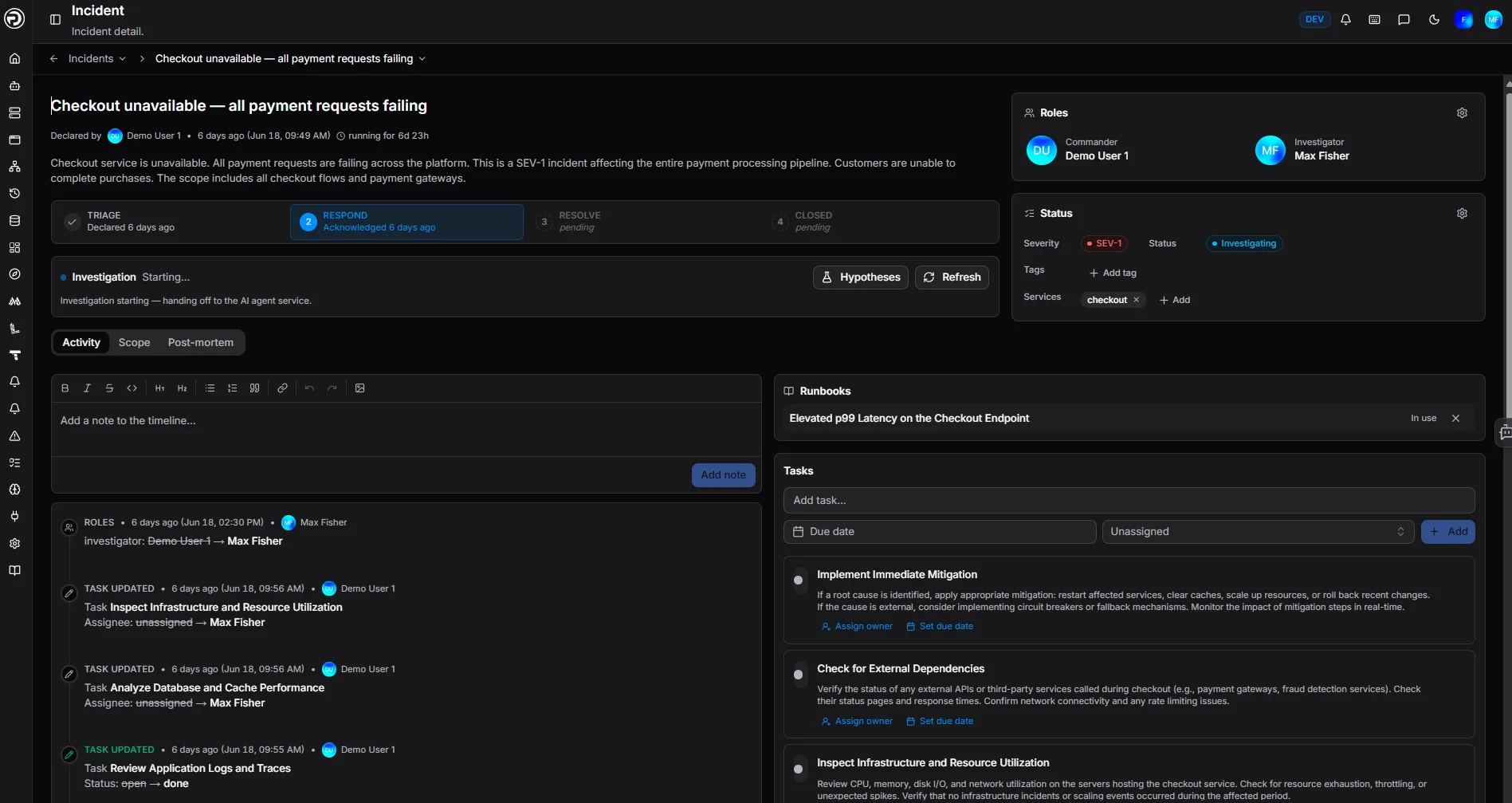
One workspace for the entire lifecycle
Open an incident and everything your team needs is already there — no piecing together context from four different tools while the clock is running.
Roles and status, always visible
Commander and Investigator are set on declaration, with severity, status, tags, and affected services pinned to the top of the page.
Runbooks, linked in context
The relevant runbook attaches directly to the incident and is marked "In use," so the fix procedure is one click away, not a Slack search.
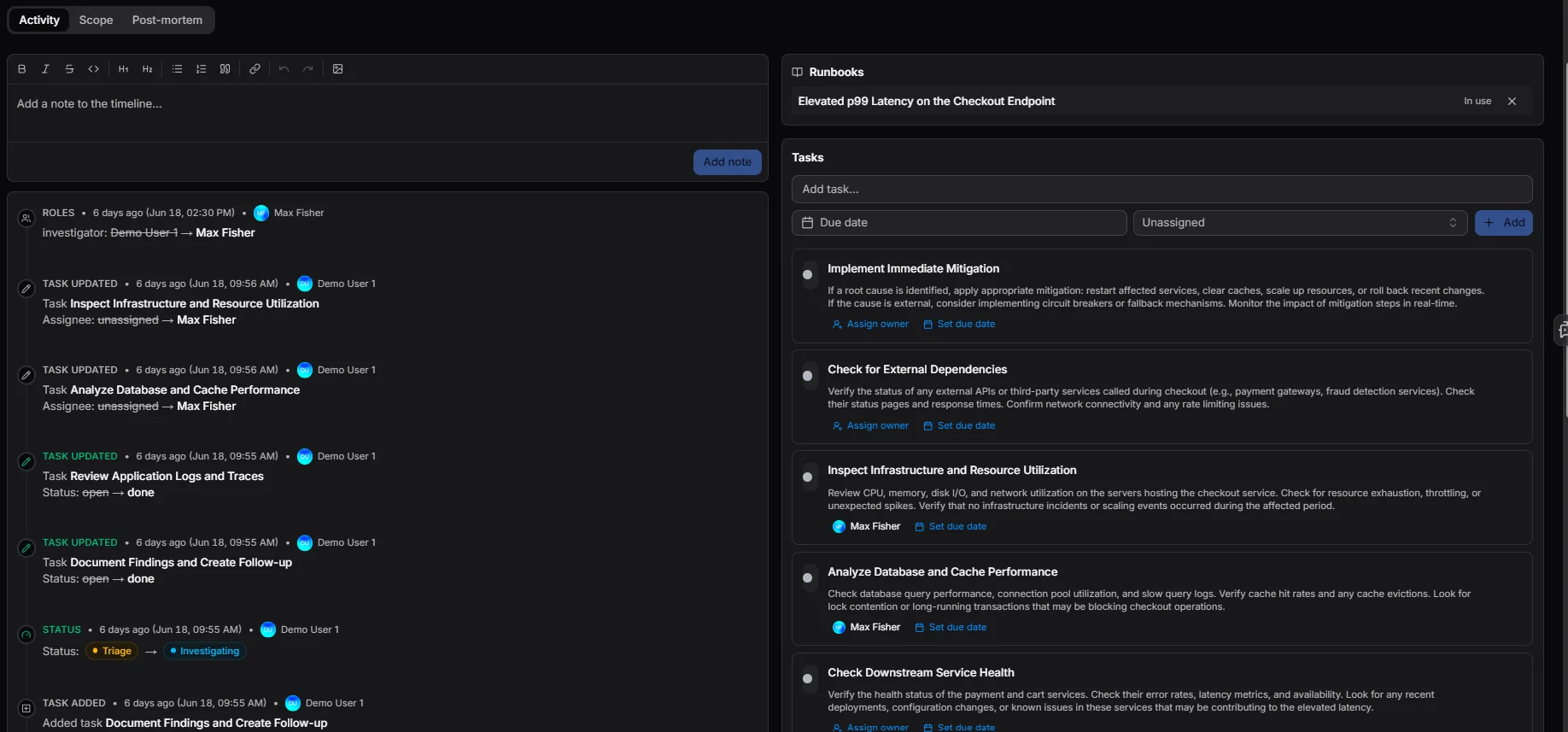
Tasks, right where the work is
Remediation steps live in the same panel as the incident — assign an owner and a due date without leaving the page.
A live activity timeline, not a guessing game
Every role change, task update, and status transition is logged automatically with a timestamp and who made it — Commander reassigned, a task marked done, status moving from Triage to Investigating.
Add a note to the timeline the same way, so context from a call or a hallway conversation ends up in the same record as everything the system captured on its own.
Tasks: closing the loop
Too often, remediation steps get lost in the ether after an incident is marked resolved. Every action item — an incident follow-up, a runbook step converted into work, or standalone maintenance — lands on one unified board.
Switch between what's assigned to you and what your whole org is working on, filter down to a single incident, and let completed tasks auto-archive after 30 days instead of piling up.

Backed by the Service Catalog — the source of truth
Every microservice and system component has a permanent, structured home in OpsPilot, independent of whether it's currently streaming telemetry.
Ownership, service tier, dependencies, and dedicated runbooks are mapped ahead of time — institutional knowledge that doesn't live in one person's head.
Notifications: precision alerting
During a fast-moving incident, being pulled in at the right moment matters. Waiting until you happen to check a dashboard can be the difference between a minor blip and a major outage.
Today, notifications are focused on your incident response — alerting you the moment an SLA budget is approaching breach, an upstream dependency affects a service you own, or a critical task lands on your plate. Over time, this becomes a generalized notification architecture across the whole OpsPilot ecosystem.
Coming soon: autonomous incident control with the coworker
Today, these workflows give your team full manual control over incident response. The next step is bigger — using data from the Service Catalog and Tasks, the coworker will be able to open incidents, assign tasks, page the right owners, and carry out remediation steps on its own, stopping outages before they escalate.
Incident Management — frequently asked questions
What severity levels does OpsPilot use for incidents?
A simplified four-level system, SEV-1 through SEV-4, paired with a standardized lifecycle: Triage, Respond, Resolve, Closed.
Can I filter incidents by service, tag, or role?
Yes. The incidents list filters by severity, status, tag, role, affected service, and date range, with saved views for the filters you use most.
Do I need the Service Catalog to open an incident?
No, but it helps. The catalog maps ownership, dependencies, and runbooks ahead of time, which speeds up triage and gives the coworker the context it needs to auto-triage.
How does this connect to alerting and notifications?
Incident Management integrates with OpsPilot's notification engine, so SLA-budget breaches, dependency impact, and critical tasks surface automatically to the right people.
Can the coworker take action during an incident today?
Today, the coworker provides context and investigation support while your team keeps full manual control. Autonomous incident control — opening incidents, assigning tasks, and paging owners on its own — is coming soon.
Is Incident Management included in the free trial?
Yes. Incidents, Service Catalog, Tasks, and Notifications are all live and rolled out to every OpsPilot workspace, including free trial accounts.
Give your next incident a faster, calmer response
Book a demo and see the full incident lifecycle in one workspace, or start a free trial and connect your first service today.
No credit card required · Live within minutes
OpsPilot Incident Management gives engineering and IT Ops teams a centralized workspace for incident response: a standardized Triage → Respond → Resolve → Closed lifecycle, SEV-1 to SEV-4 severity, a filterable incidents list, Commander and Investigator roles, linked runbooks, a live activity timeline, and a Tasks board for remediation follow-up. It integrates with the OpsPilot Service Catalog (ownership, dependencies, and runbooks for every service) and Notifications (precision alerting on SLA-budget risk, dependency impact, and critical tasks). OpsPilot's AI SRE teammate, the coworker, uses catalog context to auto-triage issues today, with autonomous incident control — opening incidents, assigning tasks, and paging owners — planned as a future capability.